Choosing the right HP toner cartridge is not always straightforward. HP uses different cartridge numbers across its LaserJet and colour laser printer ranges, and cartridges that look similar are not necessarily interchangeable. Regional differences can also affect which toner works with an Australian-market printer.
Ordering the wrong cartridge can mean unnecessary returns, delays and additional costs. Before buying, it is important to check your printer model, cartridge number, colour and regional compatibility.
Whether you print occasionally at home or manage several printers in a busy workplace, this guide explains how HP printer toner works, how to identify the correct cartridge and what to consider when comparing genuine and compatible options.
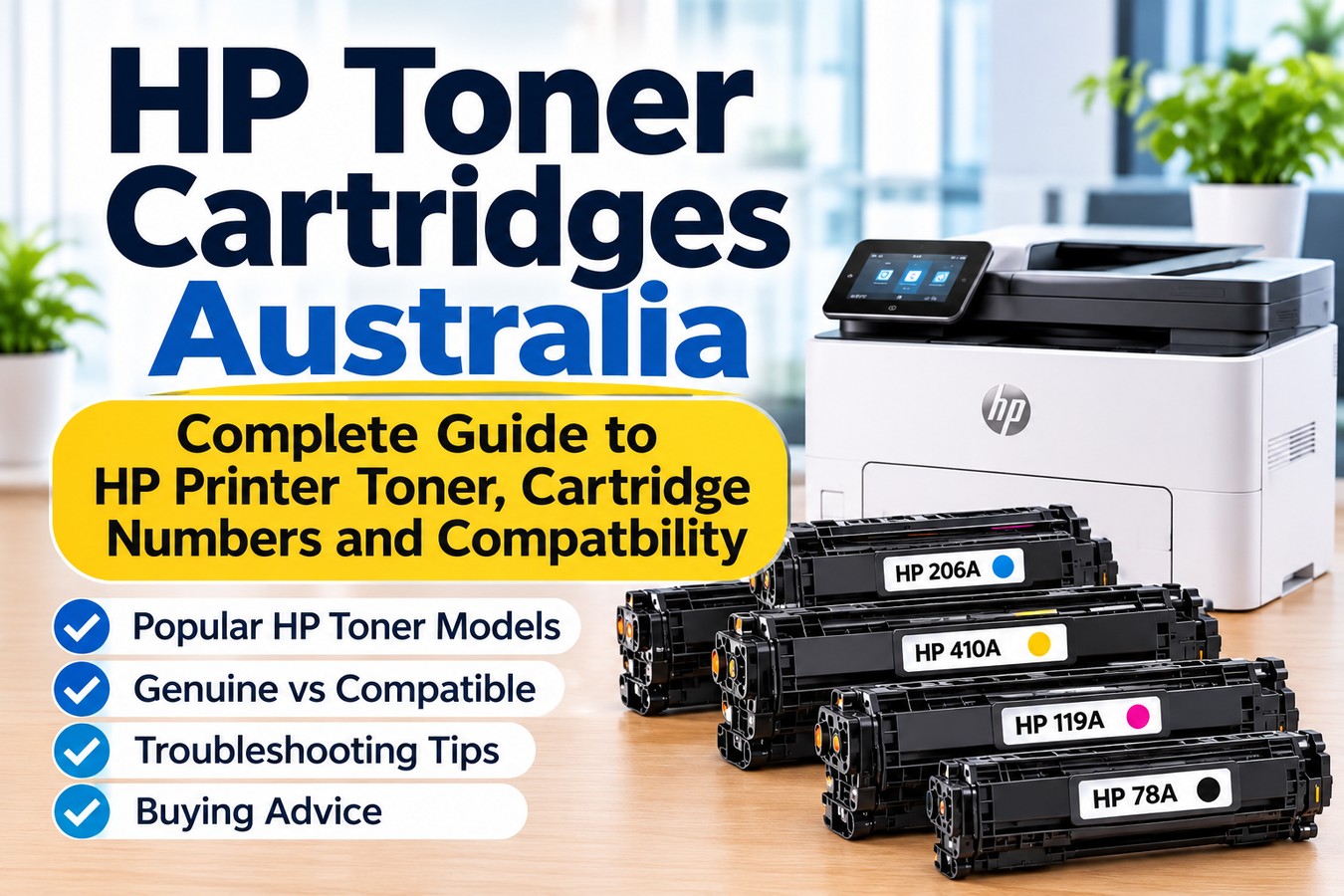
We will also cover popular HP toner families, including HP 48A, 206A, 410A, 119A, 83A and 78A, along with practical advice on replacement, troubleshooting and cartridge maintenance.
How to Find the Correct HP Toner Cartridge
The most reliable way to find the right HP toner cartridge is to check the exact printer model against the manufacturer's compatibility information.
Do not rely only on a printer's product family or a similar-looking cartridge. Two HP printers from the same general range can use different cartridge numbers. Imported printers can also have regional differences.
Follow these steps before ordering:
- Identify your exact printer model. Check the label on the printer, its control panel, original packaging or printer settings.
- Find the cartridge information. Use the printer model to look up the recommended supplies on HP Support.
- Check the complete cartridge number. Pay attention to letters and numbers, not just the main series name.
- Confirm the colour. Colour laser printers usually require separate black, cyan, magenta and yellow cartridges.
- Check the cartridge capacity. Some HP toner families have standard and high-yield versions.
- Confirm the printer's region. A printer purchased overseas may use a different toner family from an Australian-market version.
- Review the product listing. Make sure the exact printer model and cartridge number are included in the compatibility information.
You can use HP Support Australia to find official product information and check which cartridges are listed for your printer.
Common HP Toner Cartridges and Their Printer Compatibility
HP uses several toner families across its monochrome and colour laser printers. Each family has a specific cartridge number, and the correct choice depends on the printer model and, in some cases, its region.
The following examples cover popular HP toner searches in Australia. Use them as a starting point, then verify the exact model before ordering.
HP 48A toner for HP LaserJet Pro M15w
The HP LaserJet Pro M15w toner is a common search among people using HP's compact monochrome laser printer.
For the Asia-Pacific version of the HP LaserJet Pro M15w, the relevant cartridge is generally HP 48A black toner (CF248A).
The M15w is designed for black-and-white printing, so it uses a black toner cartridge rather than a four-colour toner set.
Before purchasing HP M15w toner, check the following:
- Your printer is the HP LaserJet Pro M15w.
- The cartridge number is CF248A.
- The printer is not a regional version requiring a different cartridge.
- The product listing confirms compatibility with your exact model.
HP lists different cartridge families for different regions. For example, the M15w range uses 48A in Asia-Pacific markets other than China and India, while other regions use different cartridge numbers.
This is why checking the printer's region is just as important as checking its model number.
HP 206A and 206X toner for HP Color LaserJet Pro M283fdw
The HP M283fdw toner range is used with the HP Color LaserJet Pro M283fdw, a multifunction colour laser printer.
For the Asia-Pacific version, the standard-capacity HP 206A cartridges are:
- Black: W2110A
- Cyan: W2111A
- Yellow: W2112A
- Magenta: W2113A
The corresponding high-yield HP 206X cartridges are:
- Black: W2110X
- Cyan: W2111X
- Yellow: W2112X
- Magenta: W2113X
The main difference between HP 206A and HP 206X is cartridge capacity. The 206X range is designed for higher printing volumes, making it worth considering when a printer is used regularly.
The HP M283fdw uses four separate toner cartridges. You can replace the colour that runs low rather than automatically replacing the complete set.
However, do not assume that every HP M283-series printer uses the same cartridge in every country. HP lists 206A and 206X for the relevant Asia-Pacific and other specified markets, while European versions use 207A and 207X.
If your printer was imported, verify its regional compatibility before ordering.
HP 410A and 410X toner
HP 410A toner is a colour laser cartridge family used in selected HP Color LaserJet Pro printers.
The HP 410A cartridge numbers are:
- Black: CF410A
- Cyan: CF411A
- Yellow: CF412A
- Magenta: CF413A
The HP 410X range offers higher-capacity alternatives for compatible printers.
These cartridges are associated with selected models, including the HP Color LaserJet Pro M452, M377 and M477 families. Compatibility should still be checked against the complete printer model.
When comparing HP 410A and 410X, consider how frequently your workplace prints. A standard-capacity cartridge may suit occasional printing, while a higher-capacity option may reduce replacement frequency for regular workloads.
Do not select a cartridge simply because the product listing mentions HP Color LaserJet Pro. Confirm that the specific printer is supported.
HP 119A toner for HP Color Laser 150nw
The HP 150nw toner search needs particular attention because HP uses different cartridge numbers for different regions.
For Australian and other Asia-Pacific-market versions of the HP Color Laser 150nw, the relevant toner family is generally HP 119A, rather than HP 117A.
The HP 119A cartridge numbers are:
- Black: W2090A
- Cyan: W2091A
- Yellow: W2092A
- Magenta: W2093A
HP 117A is associated with other regional versions of the HP Color Laser 150 series, including Europe, Russia, CIS, the Middle East and Africa.
For Australian-market printers, check the HP 119A range first. If the machine was purchased overseas, confirm the exact regional specification before ordering.
This is a useful example of why searching for toner by printer model alone can sometimes produce confusing results. The same printer family can have different cartridge requirements depending on where the machine was manufactured or intended to be sold.
HP 83A toner (CF283A)
HP 83A toner is a black toner cartridge family used in selected HP LaserJet Pro printers.
Its cartridge number is CF283A. It is associated with selected models in the HP LaserJet Pro M125–M128 and M201–M202 families.
If you are searching for an 83A toner HP cartridge, check the complete printer model rather than relying only on the series name.
Some regional versions of certain printers may use a different cartridge family. For example, HP lists different supplies for selected models sold in China and India. This makes it particularly important to confirm the printer's region before ordering.
HP 78A toner cartridge (CE278A)
The HP 78A toner cartridge is another black toner option used in selected HP LaserJet printers.
Its cartridge number is CE278A. It is associated with selected printers, including models in the HP LaserJet P1566, P1606 and M1530/M1536 families.
HP 78A and HP 83A are different cartridge families. They should not be treated as interchangeable, even if a retailer's search results display them alongside one another.
If you need HP 78A toner, check the printer's exact model and the cartridge number specified for its region before purchasing.
Genuine vs Compatible HP Toner Cartridges: What Is the Difference?
When buying HP toner cartridges in Australia, you will generally come across genuine HP cartridges and compatible alternatives.
Both options may be available for selected printer models, but they are not the same product. Understanding the difference can help you compare cost, product information and supplier support.
What are genuine HP toner cartridges?
Genuine HP toner cartridges are manufactured and sold under the HP brand. They are designed for the specified HP printer models and are listed in HP's product and technical information.
Some buyers prefer genuine HP toner because they want a manufacturer-branded product and a direct match with the printer's listed supplies.
When purchasing genuine toner, check the cartridge number, colour and capacity. A genuine cartridge is not automatically suitable for every HP printer.
What are compatible HP toner cartridges?
Compatible HP toner cartridges are third-party products designed to work with specified HP printer models. They are not manufactured by HP, even when they are designed for an HP printer.
Compatible cartridges can provide an alternative to genuine supplies, but product quality and performance can vary between manufacturers and suppliers.
Before choosing a compatible HP toner cartridge, check:
- Whether your exact printer model is listed.
- Whether the cartridge number matches the required toner family.
- Whether the product is the correct colour and capacity.
- Whether the supplier provides clear product information.
- Whether there is a straightforward process for handling faulty or incorrectly supplied products.
Avoid assuming that every compatible cartridge carrying the same main series number will work with every regional version of a printer.
Does using compatible toner automatically void your printer warranty?
No. Using a third-party cartridge does not automatically remove your rights under Australian Consumer Law.
However, this does not mean every printer fault must be covered regardless of its cause. If a particular problem is shown to have been caused by a cartridge or its use, that may be relevant when responsibility for the repair is assessed.
The important distinction is between using a third-party product and establishing that the product caused a specific fault.
For information about consumer guarantees, repairs and refunds, refer to the Australian Competition and Consumer Commission (ACCC).
Common HP Toner Problems and How to Fix Them
Even when you have the correct HP toner cartridge, printing problems can occur. Some issues are related to the cartridge, while others may involve the printer, paper or settings.
Printer says toner is low after replacement
A toner warning may remain after installing a replacement cartridge.
First, check that the cartridge is the correct one for your printer. Confirm that all protective packaging has been removed as instructed and that the cartridge is seated properly.
If the warning continues, restart the printer and consult the model-specific HP troubleshooting instructions.
Remember that toner-level readings are estimates. They do not always represent the exact amount of toner remaining.
Faded or light printing
Faded printing can have several causes, including low toner, incorrect print settings, unsuitable paper or a problem with the cartridge or printer.
Check the toner status and print settings first. If the cartridge is new, confirm that it is compatible and installed correctly.
If the issue continues, follow the printer's cleaning and troubleshooting instructions before replacing additional supplies.
Black marks or repeated spots on pages
Black marks, streaks or repeated spots can be caused by toner contamination, a damaged cartridge, paper problems or an internal printer component.
Print a test page and check whether the marks appear in the same position each time. This can help determine whether the problem is related to the cartridge or the printer.
If the marks continue, consult the printer's troubleshooting guide or arrange a professional inspection.
Printer does not recognise the toner cartridge
A recognition error can occur if the cartridge is incorrect, not seated properly or not recognised by the printer.
Try the following:
- Check the complete cartridge number.
- Confirm the printer model and region.
- Remove and reinstall the cartridge according to the manufacturer's instructions.
- Check that protective packaging has been removed.
- Restart the printer.
If the issue remains, contact the cartridge supplier or HP support for further assistance.
Toner is leaking from the cartridge
Stop using a cartridge that appears damaged or is leaking.
Avoid touching or inhaling toner powder. Keep it away from children and pets, and follow the manufacturer's handling and cleaning instructions.
Do not use a household vacuum to clean toner spills. Contact the supplier for advice about the affected cartridge.
Responsible Disposal of Used HP Toner Cartridges
Used toner cartridges should not automatically be placed in general waste.
Some manufacturers and recycling programs accept used ink and toner supplies for recovery or recycling. HP operates its Planet Partners program for eligible HP supplies.
You can check the HP Planet Partners recycling program for current Australian participation details.
Another useful Australian resource is Planet Ark, which provides information about recycling and responsible waste management.
Check the program's accepted products and collection arrangements before sending cartridges. Not every cartridge or location will necessarily be eligible.
Frequently Asked Questions About HP Toner
1. How do I know which HP toner cartridge my printer needs?
Find your exact HP printer model and check its cartridge information through HP Support. Confirm the full toner number, colour, capacity and regional compatibility before ordering.
2. Is HP 61 a toner cartridge?
No. HP 61 is an ink cartridge range used in selected HP inkjet printers. It is not laser printer toner. If your printer uses HP 61, you need the correct ink cartridge rather than an HP LaserJet toner cartridge.
3. Which toner does the HP LaserJet Pro M15w use?
The HP LaserJet Pro M15w uses HP 48A black toner (CF248A) in the relevant Asia-Pacific markets, including Australia. Regional versions for China and India use a different cartridge. Check your printer's region before purchasing.
4. Which toner does the HP Color LaserJet Pro M283fdw use?
The relevant Asia-Pacific version generally uses HP 206A or HP 206X toner. The range includes black, cyan, yellow and magenta cartridges. Check the complete part numbers and regional compatibility before ordering.
5. What is the difference between HP 206A and HP 206X?
HP 206A is the standard-capacity cartridge family, while HP 206X is the higher-capacity option for compatible printers. Compare the purchase price and stated page yield to decide which suits your printing volume.
6. Does the HP Color Laser 150nw use HP 117A or HP 119A toner?
Australian and other Asia-Pacific-market versions generally use HP 119A. HP 117A is associated with other regional versions of the printer family. Check the exact printer's region and cartridge information before buying.
7. Are HP 78A and HP 83A toner cartridges interchangeable?
No. HP 78A (CE278A) and HP 83A (CF283A) are different toner families. Use the cartridge number specified for your exact printer model and region.
8. Are compatible HP toner cartridges worth buying?
Compatible HP toner can provide an alternative to genuine cartridges, but quality and performance vary between products and suppliers. Check exact printer compatibility, product details and the supplier's support process before purchasing.
Final Thoughts
Choosing the right HP toner starts with knowing your printer model and checking the correct cartridge number. HP 48A, 206A, 410A, 119A, 83A and 78A belong to different printer families, so they should never be selected based on appearance or a similar product name alone.
Pay particular attention to regional compatibility. Australian-market printers can require different cartridges from overseas versions of the same printer family. This is especially important when checking HP LaserJet Pro M15w and HP Color Laser 150nw toner.
When comparing HP toner cartridges in Australia, consider the cartridge number, printer compatibility, capacity, expected printing volume and supplier information. These checks can help you avoid ordering mistakes and choose a cartridge that suits your printer.
If you need help finding printer consumables, The Toner Group provides printer supplies for Australian customers. Explore the printer cartridge range or contact the team for assistance.