Running out of printer toner or ink can cause more disruption than most businesses expect. A printer may be essential for invoices, contracts, reports, forms, labels and other everyday documents, yet replacement cartridges are often only ordered when they are nearly empty.
A sensible printer cartridge inventory management system helps prevent this. The goal isn't to fill a cupboard with spare cartridges. It's to keep enough stock to cover normal usage, supplier lead times and unexpected increases in printing.
A practical starting point is:
Stock requirement = average usage during supplier lead time + safety stock
By tracking printer usage, cartridge part numbers, delivery times and reorder points, businesses can keep the right supplies available without unnecessarily tying up money in excess stock.
Why Printer Cartridge Stock Levels Matter
For a small office, running out of toner might mean a short interruption. For a school, healthcare provider, accounting practice, law firm or larger organisation, the impact can be greater because several people may depend on the same printer.
Poor inventory management can result in:
- Printers sitting unused while waiting for supplies
- Urgent cartridge orders
- Higher delivery costs
- Staff spending time searching for the correct cartridge
- Unnecessary duplicate purchases
- Too many unused cartridges taking up storage space
- Difficulty understanding printing costs
The opposite problem is overstocking. Buying large quantities without considering actual usage can leave money tied up in printer consumables inventory, particularly when a business operates several printer models.
Good inventory management creates a balance between availability and cost.
How to Calculate a Sensible Printer Cartridge Stock Level
The simplest way to establish a starting stock level is to look at three things:
- How many cartridges you normally use
- How long replacement stock takes to arrive
- How much additional stock you need as a safety buffer
A basic calculation is:
Average usage during lead time + safety stock = reorder requirement
For example, suppose an office normally uses four black toner cartridges per month and its supplier generally delivers within one week.
The business can estimate its weekly usage, then keep enough stock to cover that expected consumption plus a small additional buffer.
The exact buffer depends on how critical printing is to the organisation.
A business that can comfortably wait a few days for a delivery may need less safety stock than a healthcare provider, school or print-intensive office where running out could interrupt important work.
What Information Should You Track?
Before deciding on your toner stock levels, record the following for each printer:
Printer model
Record the exact model and where the printer is located.
Cartridge part number
The part number is important because similar printer models can use different cartridges.
Cartridge type
Identify whether the printer uses ink cartridges, toner cartridges or another consumable.
Colour
For colour printers, track black, cyan, magenta and yellow supplies separately where applicable.
Average monthly usage
Review your actual cartridge consumption rather than simply guessing.
Supplier lead time
Record how long your normal supplier takes to deliver.
Cartridge preference
Note whether the business normally purchases genuine manufacturer cartridges or compatible alternatives.
Printer importance
A cartridge for a critical accounts or reception printer may deserve a larger buffer than one for an occasionally used printer.
A Simple Example of Stock Planning
Imagine a small professional office uses approximately:
- 3 black toner cartridges per month
- 1 colour set every two months
- Supplier delivery time of 3–5 business days
Rather than keeping a large quantity of every cartridge, the business could establish a reorder point based on its actual consumption and delivery time.
The important thing is not the exact number of cartridges sitting on the shelf. It's having a repeatable system that tells someone when to reorder.
That makes cartridge ordering more predictable and reduces reliance on last-minute checks.
Build a Simple Printer Consumables Inventory
You don't necessarily need specialist inventory software to manage printer supplies.
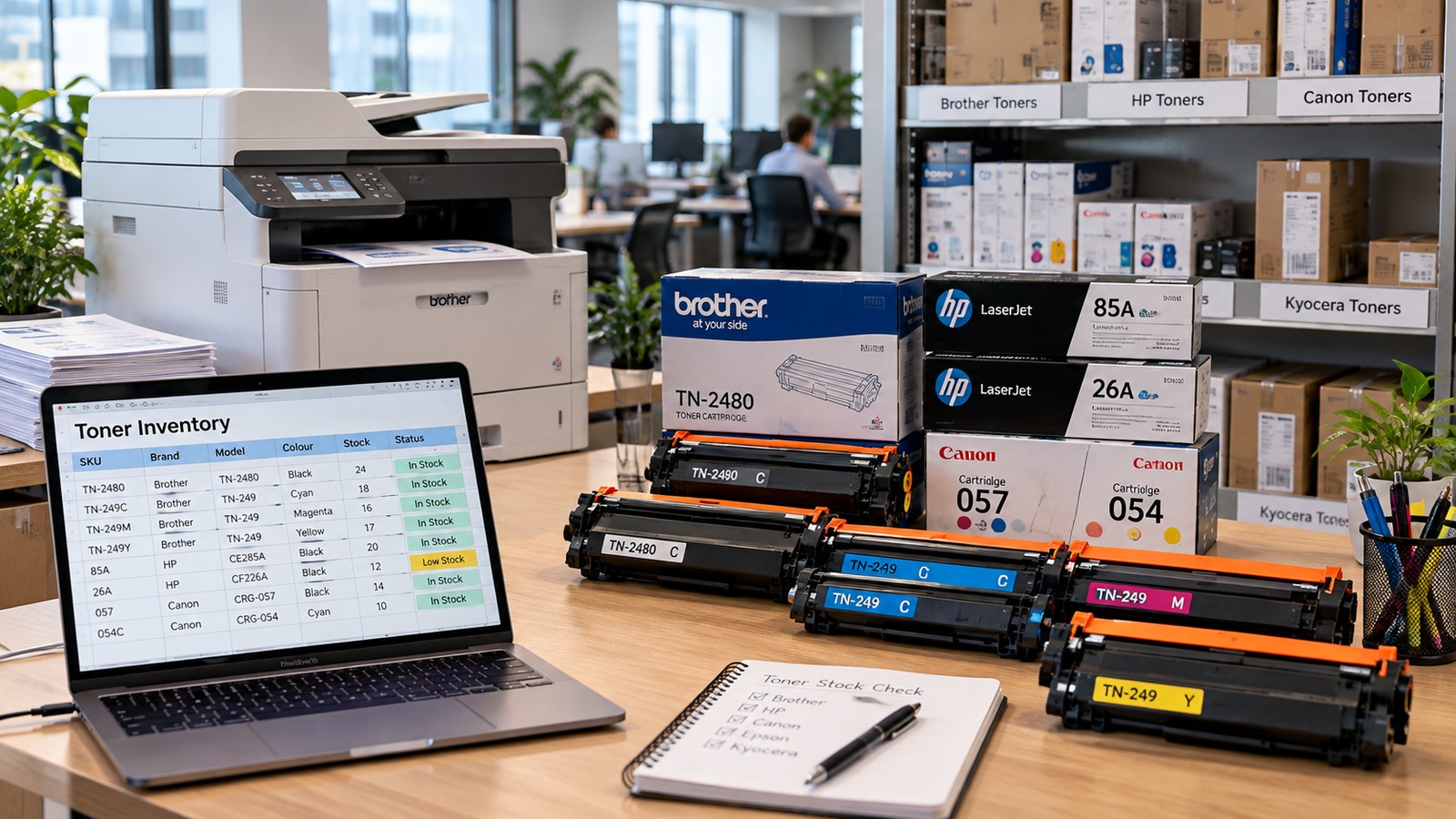
For a small or medium-sized business, a spreadsheet can be enough.
Your printer consumables inventory could include:
| Item | What to record |
| Printer | Model and location |
| Cartridge | Ink or toner |
| Part number | Exact cartridge reference |
| Colour | Black, cyan, magenta or yellow |
| Current stock | Number currently available |
| Monthly usage | Average consumption |
| Reorder point | Level at which you place an order |
| Supplier | Preferred supplier |
| Lead time | Typical delivery period |
| Responsible person | Person who manages stock |
This can also be combined with an office consumables checklist covering printer paper, labels, envelopes and other regularly purchased supplies.
Keep the Inventory Updated
A stock list is only useful if it reflects what is actually in the cupboard.
When a cartridge is used, update the quantity. When new stock arrives, record it. If a new printer replaces an old one, update the cartridge details immediately.
For a small workplace, checking inventory once or twice a month may be enough. Higher-volume environments may need more frequent reviews.
Use Printing Volume to Guide Your Stock Levels
Different businesses have very different printing requirements, so there is no universal number of cartridges every workplace should keep.
A useful starting framework is:
| Printing demand | Suggested approach |
| Low volume | Keep a small backup supply for critical printers |
| Moderate volume | Establish a clear reorder point and maintain 1–2 spare cartridges where appropriate |
| High volume | Monitor consumption closely and maintain a larger safety buffer |
| Very high / multi-site volume | Consider automated replenishment or managed print |
These are planning guidelines rather than fixed stock requirements. Your actual stock level should reflect cartridge consumption, delivery times, storage space and how critical the printer is to your business.
Small Offices and Professional Practices
A small office may have only a few printers with fairly predictable usage.
Keeping a spare cartridge for a business-critical printer can provide useful protection against unexpected demand or delivery delays.
For printers that are rarely used, holding several spare cartridges may simply create unnecessary inventory.
Schools and Medium-Sized Offices
Schools and medium-sized businesses may have several printers used by different departments.
Instead of applying the same stock level to every printer, identify the high-use devices first.
For example:
- Administration printer — higher priority
- Finance printer — higher priority
- Reception printer — moderate priority
- Occasional-use printer — lower priority
This approach helps allocate inventory where it is actually needed.
Multi-Site and High-Volume Businesses
Managing cartridges becomes more complicated when an organisation has many printers across multiple locations.
In this situation, businesses may benefit from managed print services.
Managed print can help bring printer usage, device management and consumable replenishment into a more structured process. It can be particularly useful when manually tracking toner and ink across multiple sites becomes time-consuming.
When Should You Reorder Printer Cartridges?
A reorder point is the stock level at which you place your next cartridge order.
A simple approach is:
Reorder point = expected usage during delivery time + safety stock
For example, if your business normally consumes one cartridge during the supplier's delivery period, you could set your reorder point above one cartridge rather than waiting until the shelf is empty.
This gives the new order time to arrive before the existing stock is exhausted.
Your reorder point should be reviewed when:
- Printing volume increases
- A new printer is introduced
- Your supplier's delivery time changes
- Your business enters a particularly busy period
- You change cartridge types
- Your organisation adds another location
Common Printer Cartridge Inventory Mistakes
1. Waiting until the cartridge is empty
Waiting for a printer to display a low-toner warning before ordering can leave little room for delivery delays.
Set a reorder point before stock reaches zero.
2. Treating every printer the same
A high-volume multifunction printer may consume cartridges far faster than a printer used occasionally.
Base stock levels on actual usage.
3. Forgetting colour cartridges
Colour printers may require several individual cartridges. Running out of one colour can affect colour printing even when other cartridges are still available.
Track colour supplies individually where necessary.
4. Ordering without checking the part number
Printer models can have specific cartridge requirements. Always verify the cartridge reference before ordering.
5. Keeping too much stock
More stock isn't automatically better.
Excess inventory uses storage space and ties up purchasing budgets. Review actual consumption before increasing your buffer.
6. Having no person responsible for stock
If everyone assumes someone else checks the supplies, nobody may notice that stock is running low.
Assign responsibility for checking and ordering printer consumables.
Choosing the Right Ink and Toner
Stock management only works when you have the correct cartridges available.
When purchasing ink or toner, check:
- Printer make and model
- Cartridge part number
- Black or colour requirement
- Expected printing volume
- Genuine or compatible cartridge preference
- Supplier availability
- Delivery timeframe
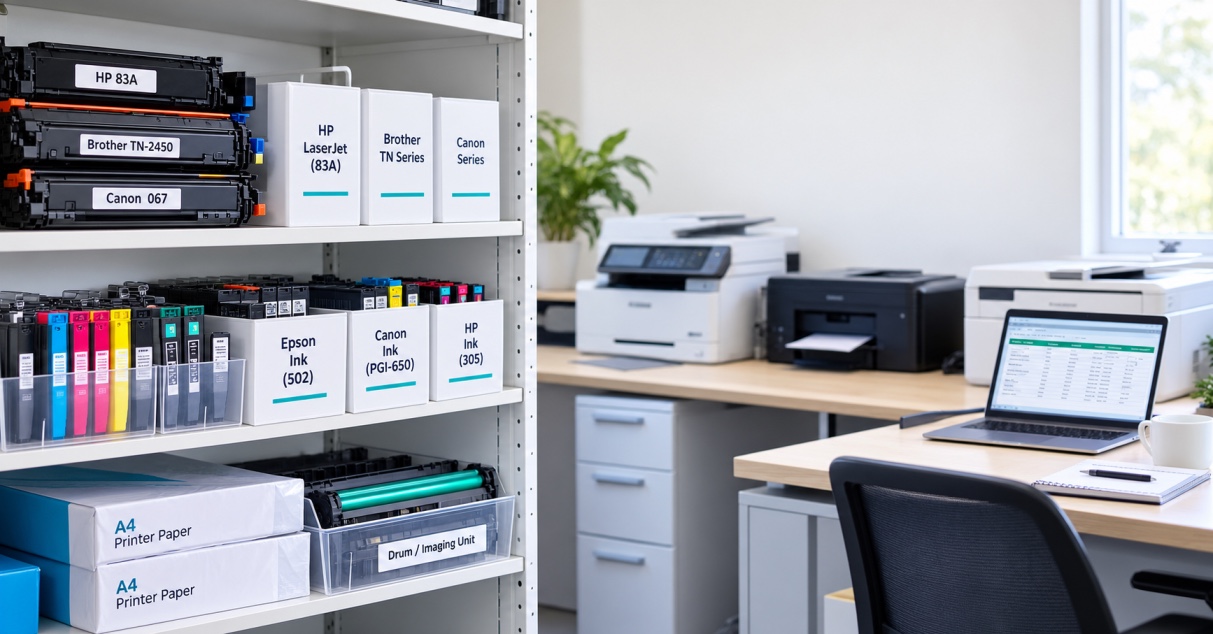
For businesses that regularly purchase printer supplies, keeping commonly used cartridges organised by printer model can make the ordering process much simpler.
You can review The Toner Group ink and toner range to find cartridges suited to your printers and printing requirements.
For businesses with more complex printing needs, managed print may also be worth considering instead of handling every consumable order manually.
When Is It Time to Improve Your Inventory Process?
Your current system may need attention if your business regularly experiences:
- Empty cartridges when documents need to be printed
- Emergency or rushed orders
- Large quantities of unused cartridges
- Staff unsure which cartridge belongs to which printer
- Duplicate purchases
- Difficulty tracking monthly cartridge usage
- Multiple locations with no central stock visibility
- Rising printing costs without a clear explanation
These problems don't necessarily mean you need sophisticated inventory software. Often, the first improvement is simply creating a reliable stock list and setting clear reorder points.
For larger organisations, however, managed print can provide a more structured way to manage devices, usage and consumables.
A Simple Monthly Printer Inventory Routine
A basic monthly review can keep your cartridge inventory under control.
Step 1: Check current stock
Count the cartridges currently available.
Step 2: Compare usage
Look at how many cartridges were used during the previous month.
Step 3: Check reorder points
Identify cartridges that have reached or are approaching their reorder level.
Step 4: Consider upcoming demand
Think about known busy periods, new projects or seasonal increases in printing.
Step 5: Place required orders
Order only the cartridges needed to maintain your planned stock level.
Step 6: Update your inventory
Record the new stock when the delivery arrives.
This process takes far less effort than dealing with repeated emergency orders and can make printer consumables easier to manage across the workplace.
The Bottom Line
Effective printer cartridge inventory management isn't about keeping the maximum possible amount of toner and ink in storage.
It's about understanding how much your business actually uses, how quickly replacement cartridges arrive and how much safety stock you need.
Start by recording every printer and its cartridge part number. Track monthly consumption, establish a reorder point and review your stock regularly.
For a small office, a simple spreadsheet may be all you need. For larger organisations with multiple printers or locations, managed print can provide a more structured approach to replenishment.
If you need replacement ink or toner, The Toner Group provides printer consumables for different workplace requirements, from individual cartridge purchases through to more structured supply and managed print options.