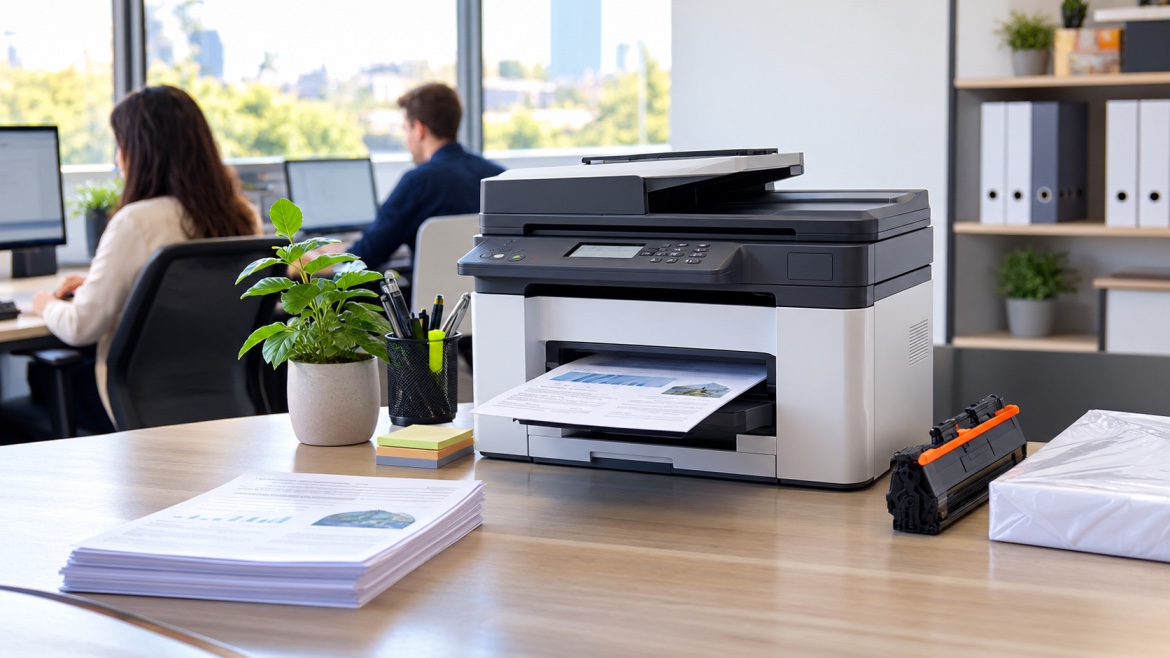

When an office runs several printers, ink and toner have a way of becoming a headache. One team has spare cartridges gathering dust in a cupboard, while another runs dry an hour before a big report is due.
Usually the problem isn't a shortage. It's that nobody knows what's in stock, which cartridge fits which machine, or when to reorder. Good printer supply management in an office fixes that without adding much work. All it takes is a clear record of what you have, a simple ordering routine and a few steady habits.
Here's how to set one up.
1. List every printer in the office
Start by finding out which printers your business actually uses. Different departments often run different brands and models, from colour inkjets to basic monochrome lasers.
Build one central register that captures:
- Brand and model
- Location or department
- Cartridge reference numbers
- Ink or toner
- Any separate drum or imaging unit
- Typical print volume
- The person responsible for the machine
This register stops you from ordering a cartridge just because it looks right. Two cartridges from the same manufacturer can carry different reference numbers and still not fit the same printer.
Tip: Keep the register in a shared spreadsheet that authorised staff can open when it's time to order.
2. Match each printer to its exact supplies
Next, record the precise cartridge for every printer: black, colour and, for some lasers, the drum unit. A wrong order wastes budget and leaves the office waiting for the right part to arrive.
Note whether you normally buy genuine or compatible cartridges. That choice depends on your printer's requirements, your budget and your purchasing policy.
Avoid vague labels like "HP toner" or "Canon ink". They're too broad to prevent mistakes. If you're not sure which cartridge a machine takes, check the manual, the manufacturer's compatibility guide or a trusted supplier.
3. Keep all your stock in one inventory
When several people order on their own, nobody knows how much the business already holds. A single cartridge inventory solves this. Track the following for each item:
| Detail | Why it matters |
| Cartridge reference | Prevents wrong orders |
| Compatible printers | Shows which machines can use it |
| Quantity in stock | Makes available supplies visible |
| Minimum stock level | Signals when to reorder |
| Supplier and cost | Supports budgeting |
| Typical delivery time | Helps you order before stock runs low |
| Last order date | Gives a simple purchasing history |
You don't need specialist software. For a small or mid-sized office, a shared spreadsheet works well as long as someone keeps it current. Larger businesses with multiple sites or heavy printing may prefer dedicated inventory software.
Whatever you choose, avoid scattered records that give different people different answers.
4. Set a reorder point for each cartridge
The easiest way to head off toner shortages is to decide in advance how low stock can fall before you order more. That threshold is your minimum stock level, or reorder point.
One rule won't suit every item. A busy accounts team may burn through toner far faster than a machine used for the occasional internal memo. When choosing levels, think about:
- How quickly the cartridge gets used
- How many printers rely on it
- How long delivery usually takes
- How easy it is to find
- How much the printer matters to daily operations
For example, an office that goes through a particular toner quickly might reorder whenever two units remain, while a rarely used cartridge can have a lower trigger. Treat those numbers as illustrations only. Your own levels should come from real usage and supplier lead times.
A simple place to start: Look through the last few months of purchases, spot the cartridges that run out most often and set their reorder points first.
5. Agree on who handles toner ordering
A dependable system needs a clear answer to one question: who places the order? Without one, people assume a colleague has handled it, or two people buy the same cartridge without realising.
A straightforward routine looks like this:
- Check the inventory for items that have reached their reorder point.
- Confirm the details, including the cartridge reference and quantity.
- Check for open orders so nothing is bought twice.
- Get approval if your purchasing policy requires it.
- Place the order with an approved supplier and keep the confirmation.
- Mark it as pending in the spreadsheet.
- Record the delivery when it arrives.
One person or a small purchasing team should own this routine. Everyone else can flag low supplies, but the final ordering decision should sit in one place.
6. Review stock on a schedule
Waiting for a low-toner warning isn't a real strategy. The cartridge may still print well, but you've given yourself little time to find a replacement, and a delivery that takes several days could leave a key printer idle.
A weekly check is a good starting point. Busy offices may want to look more often, and quieter ones can stretch it out. In each review:
- Compare what's on the shelf with what the spreadsheet says
- Look at outstanding orders
- Flag items close to their reorder point
- Notice cartridges that haven't moved in a long time
- Consider whether a project or busy season will push demand up
Once it becomes routine, supply management stops being a scramble and becomes a quick, routine task.
7. Watch how each department uses supplies
A reception printer might handle a handful of pages a day, while accounts can print hundreds during month-end. Treat them the same and you'll overstock one cartridge and run short of another.
Start with simple records of purchase and replacement dates. If your printers offer page counters or management reports, those add useful detail. Over time, you'll see:
- Which printers get the heaviest use
- Which cartridges need frequent replacing
- Which teams have seasonal peaks
- Which items you tend to over-order
There's no need to track every page. A broad sense of the patterns is enough to sharpen your reorder points and forecast demand.
8. Store cartridges properly
Getting the order right only helps if the stock stays in good condition. Heat, damp, dust and direct sunlight can damage cartridges and packaging before you ever install them.
Choose a clean, dry spot away from sunlight and big temperature swings. Leave cartridges in their original packaging until you need them, and follow the manufacturer's storage guidance.
It also helps to make the storage area easy to read. Keep ink and toner on separate shelves, label shelves with reference numbers and space out look-alike products. Use older stock first, as long as it's still within its recommended storage period.
Resist buying in bulk just for a discount. A lower unit price isn't a bargain if the cartridges sit unused for months or no longer suit your equipment.
9. Look at cost per page, not just price
A cheap cartridge isn't always the cheaper one to run. To compare fairly, divide the price by the expected page yield.
Cost per page = cartridge price ÷ expected page yield
If a cartridge costs $100 and is rated for 2,000 pages, that's $0.05, or 5 cents, per page.
Real results vary with page coverage, print settings and the condition of the printer, and colour printing involves several cartridges, each with its own cost. Your purchase history can also show whether one machine is consistently more expensive to run than another, which is useful when you review print settings or plan new equipment.
The goal isn't the lowest price on the shelf. It's keeping printing dependable at a sensible overall cost.
10. Leave room for delays and busy periods
Even a tidy office hits a sudden spike: a large project, end-of-month reporting or a surprise deadline. Delivery times can slip too, so ordering only when stock is almost gone leaves no margin.
Build a small buffer for the items that matter most. Think about normal delivery time, how fast the cartridge gets used and what would happen if it ran out. You don't need extra stock of everything, just the supplies whose absence would cause real disruption.
It's also smart to have a backup approved supplier for essential cartridges, especially if your office depends on a few key machines. Before a known busy period, check expected demand and open orders so you aren't buying in a panic.
11. Make one person accountable for accuracy
A shared spreadsheet is only useful when it's up to date. If people grab cartridges without logging them, the sheet shows stock that no longer exists. If deliveries arrive but aren't entered, it undercounts what you have.
Give one person responsibility for keeping the records right. They should make sure that:
- Deliveries are logged
- Cartridges taken from storage are deducted
- Damaged or unsuitable items are noted
- Purchase orders are closed out on arrival
- Discrepancies are investigated
- Reorder levels are revisited when usage changes
Keep the process light enough that staff can follow it without slowing down. A small office may only need one person. A larger organisation might have contacts in each department reporting to a central purchasing team.
12. Revisit the system as things change
Offices change. You add printers, move teams, hire people or print more (or less) than before, and each shift can alter which cartridges you need and how fast you use them. Review the system now and then, and whenever something significant changes. A few questions help:
- Are the records still accurate?
- Are we ordering the right quantities?
- Which items keep running out?
- Is anything sitting untouched for months?
- Have prices or delivery times changed?
- Could combining orders simplify buying?
- Is everyone following the stock-recording routine?
Make small improvements rather than rebuilding from scratch. If staff find the process too fiddly, simplify it.
Common mistakes to avoid
- Ordering by brand alone. Always confirm the exact reference for the specific model.
- Holding the same quantity of everything. Match stock to usage, lead times and how critical each printer is.
- Relying on low-toner alerts. They're helpful, but they don't replace planning.
- Letting everyone order independently. This invites duplicates and conflicting records.
- Overbuying. Excess stock ties up cash and risks going obsolete.
- Skipping updates. Even a simple spreadsheet becomes useless if deliveries and withdrawals go unrecorded.
The bottom line
A dependable printer supply system comes down to three things: knowing what you have, knowing what each printer needs and ordering before it gets urgent. Start with an accurate register of your machines, add a single inventory, set sensible reorder points and decide who owns purchasing and records. Regular reviews and basic usage tracking can follow as you go.
It doesn't have to be complicated. A well-kept spreadsheet and a consistent habit can cut shortages, stop duplicate orders and keep printing on track.
Need help finding the right cartridges for your office printers? The Toner Group supplies genuine and compatible printer cartridges and offers practical advice on choosing the right ones. Visit thetonergroup.com.au or call 1300 041 170.